- Página de inicio /
- Electrónica /
- Computers, Laptops and Tablets /
- Computer Accessories /
- Computer Keyboards & Mice /
- Computer Mouse & Mouse Pads /
- Wireless Mouse /
- Logitech MX Master 4 for Mac, Ergonomic Bluet...
0 ratings

Nº de artículo:
199057186
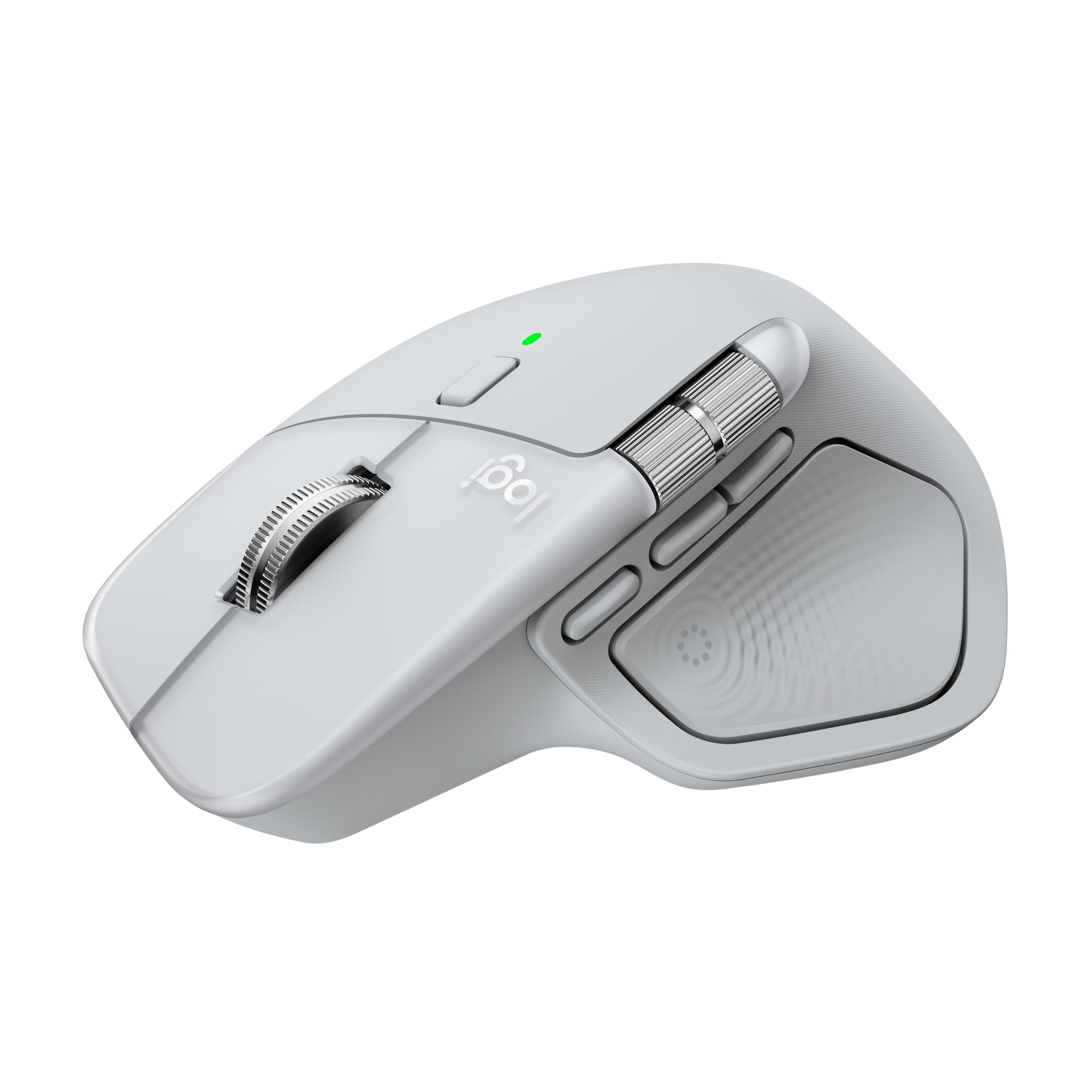
Logitech MX Master 4 for Mac, Ergonomic Bluetooth Mouse with Advanced Performance Haptic Feedback, Ultra-Fast Scrolling, USB-C Charging, White Silver
Nº de artículo:
199057186
GTQ 1229
Price Details
Excluding Shipping & Custom charges ( Shipping and custom charges will be calculated on checkout )
*All items will import from Estados Unidos
0 ratings
Escribe una opinión
En stock
 Importado de la tienda USA
QTY:
Haz tu pedido ahora y recíbelo por ahí Viernes, Julio 03
Secured transaction
Ubuy works hard to protect your security and privacy. Our advanced payment security system ensures confidentiality by encrypting your information during transmission using AES (Advanced Encryption Standards) and SSL (Secure Socket Layer) protocols. Your payment details are 100% secure as we do not share your payment details with third party sellers.
Our Top Logistics Partners


Experience haptic feedback on specific actions, shortcuts, notifications like switching desktops, slider adjustments and more.

Fast
Shipping

Free
Return*

Secure Packaging

100% Original Products

PCI DSS Compliance

ISO 27001 Certified


What Stands Out
Ergonomic Design
Designed for comfort, the MX Master 4 reduces hand fatigue with its sculpted shape, making it ideal for long hours of use, enhancing productivity without sacrificing user comfort.
Advanced Haptic Feedback
Experience tactile feedback with each scroll, allowing for precise control and enhanced interaction, setting it apart from competitors by enriching the user experience.
USB-C Charging
Enjoy quick recharging with USB-C, offering modern connectivity. A full charge lasts up to 70 days, combining convenience with high performance for effortless usability.
Detalles de producto
| Brand | Logitech |
| Mouse type | Laser Mice |
| Color | White Silver |
| Connection | USB Type C |
| Wireless | Bluetooth;RF |
| Motion detect | Optical |
| Buttons | 8 |
| Dexterity | Right-Handed |
| Battery consumption type | Integrated Rechargeable Battery |
| Features | Rechargeable |
| Power type | Battery |
| Battery size | Proprietary Device Specific |
| Model name | Logitech MX Master 4 for Mac |
| Maximum transmission range | 33 ft |
| Compatible OS | macOS 13 or later*, iPadOS 15 or later**. (*Customize device by installing the Logi Options+ App available for recent versions of Windows and macOS at app.logi.com, **Device basic functions will be supported without software for other systems than Windows and macOS) |
| Weight | 0.33 lb (150 grams) |
| Height | 5.05 in (12.8 cm) |
| Batteries | 1 |
| Orientation | Horizontal |
| Recommended use | Office |
| Accessories included | MX Master 4 for Mac wireless mouse; User documentation |
| Finish | Matte |
| Retail packaging | Single Piece |
| Multipack quantity | 1 |
Who Should Buy?

-
Creative Professionals
Ideal for designers and editors who require precision and customizable buttons for efficient workflow and performance.
-
Office Workers
Perfect for daily office tasks, offering ergonomic design, comfort, and advanced features for prolonged usage.
-
Mac Users
Seamlessly integrates with Mac systems, leveraging advanced haptic feedback and fast scrolling tailored for Mac environments.

-
Casual Users
May be too advanced and feature-rich for those who need a basic mouse for occasional use.
-
Budget-Conscious Buyers
The premium price may deter users seeking a lower-cost alternative for basic mouse functionality.
-
Mobile Gamers
Not specifically designed for gaming, so serious gamers may prefer dedicated gaming mice for higher performance.
DESCRIPCIÓN DEL PRODUCTO
Logitech MX Master 4 for Mac, Ergonomic Bluetooth Mouse with Advanced Performance Haptic Feedback, Ultra-Fast Scrolling, USB-C Charging, White Silver
¿Tienes alguna consulta? Chatea con nosotros
Preguntas y respuestas de los clientes
-
Pregunta:
What is the battery life of the MX Master 4 for Mac?
Respuesta: Up to 70 days of battery life, plus three hours of use from a one-minute charge. -
Pregunta:
Is the mouse compatible with Windows as well?
Respuesta: The MX Master 4 is primarily designed for Mac, but it can also work with Windows. -
Pregunta:
What kind of connection does it use?
Respuesta: It connects via Bluetooth and includes a USB-C dongle for enhanced connectivity.
Logitech Wireless Mouse Editorial Review
The Logitech MX Master 4 for Mac has garnered a highly positive reception among users, particularly for its ergonomic design and advanced functionality tailored for Mac users. Many reviews highlight the mouse's ease of setup and customization, making it an ideal choice for a variety of applications, including video editing and CAD software like Fusion 360. Users Consistently praise its performance, describing it as an exceptional productivity tool that enhances their workflow. The mouse boasts several notable features such as haptic feedback, ultra-fast scrolling, and USB-C charging. The side-to-side scrolling capability is often mentioned as a revolutionary addition that significantly improves navigation. Ergonomics is another strong point, with users noting that the MX Master 4 fits comfortably in hand and minimizes wrist fatigue during extended use. However, some users have commented that the mouse is heavier than expected, which may affect its portability for some. While the Logitech software is required to unlock the full potential of the mouse, users appreciate the customizable options it provides. One minor drawback noted is that the mouse does not appear natively in macOS, requiring additional steps for full functionality. Despite this, the overall Consensus is that the MX Master 4 for Mac is a top-tier product that stands out in its category, particularly for those who frequently work on their Macs and require a precise and efficient input device. **
Customer Reviews & Ratings
1 valoraciones de los clientes
-
5 estrella
0%
-
4 estrella
100%
-
3 estrella
0%
-
2 estrella
0%
-
1 estrella
0%
Revisar este producto
Comparte tus ideas con otros clientes
ventajas
- Ergonomic design reduces wrist fatigue
- Easy setup and extensive customization options
- Excellent performance for tasks like video editing and CAD
- Innovative side-to-side and quick scrolling features
- Haptic feedback enhances user experience
- USB-C charging for convenience
Contras
- Heavier than some users prefer
Product Price History
Información importante
- Limitaciones: Para los productos enviados al extranjero, ten en cuenta que cualquier garantía del fabricante puede no ser válida; las opciones de servicio del fabricante pueden no estar disponibles; los manuales del producto, las instrucciones y las advertencias de seguridad pueden no estar en los idiomas del país de destino; los productos (y los materiales que los acompañan) pueden no estar diseñados de acuerdo con las normas, especificaciones y requisitos de etiquetado del país de destino; y los productos pueden no ajustarse al voltaje del país de destino y a otras normas eléctricas (lo que requiere el uso de un adaptador o convertidor, si procede). El destinatario es responsable de asegurarse de que el producto puede ser importado legalmente al país de destino. Cuando hagas un pedido a Ubuy o a sus filiales, el destinatario es el importador registrado y debe cumplir todas las leyes y normativas del país de destino.
- No todos los productos que aparecen en Ubuy están a la venta, ya que Ubuy es un motor de búsqueda a nivel mundial. Los productos están sujetos a las normas de exportación/comercio.
GTQ 1229
Haz tu pedido ahora y recíbelo por ahí Viernes, Julio 03
This item is not restrict in my country.(Please click on above link if this item is not restrict in your country, So our team will review and allow.)
QTY:
Secured transaction
Ubuy works hard to protect your security and privacy. Our advanced payment security system ensures confidentiality by encrypting your information during transmission using AES (Advanced Encryption Standards) and SSL (Secure Socket Layer) protocols. Your payment details are 100% secure as we do not share your payment details with third party sellers.
Our Top Logistics Partners
Fastest cross-border delivery
características y beneficios
- Customizable haptic feedback enhances productivity and control.
- Access favorite tools quickly with the dynamic Actions Ring.
- Enjoy fast, precise scrolling with the MagSpeed scroll wheel.
- Ergonomic design reduces hand stress for comfortable usage.
- Experience 90% less click noise for a focused working environment.
- Includes a complimentary 1-month Adobe Creative Cloud subscription.