- Página de inicio /
- Tools & Home Improvement /
- Electrical /
- Tools & Hardware /
- Cable Insertion & Extraction Tools /
- Punchdown Tools /
- Professional Punch Down Tool with 110 & 66 Bl...
0 ratings


Nº de artículo:
15789874
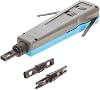
Professional Punch Down Tool with 110 & 66 Blades Cat6/Cat5e Network Cable Termination, Impact Tool for Patch Panels, Outlets & Sockets, Precision
Nº de artículo:
15789874
GTQ 157
Price Details
Excluding Shipping & Custom charges ( Shipping and custom charges will be calculated on checkout )
*All items will import from Estados Unidos
0 ratings
Escribe una opinión
En stock
 Importado de la tienda USA
QTY:
Haz tu pedido ahora y recíbelo por ahí Miércoles, Julio 08
Secured transaction
Ubuy works hard to protect your security and privacy. Our advanced payment security system ensures confidentiality by encrypting your information during transmission using AES (Advanced Encryption Standards) and SSL (Secure Socket Layer) protocols. Your payment details are 100% secure as we do not share your payment details with third party sellers.
Our Top Logistics Partners


Effortlessly insert wires with the professional grade impact punch down tool - an essential tool for any electrical or networking project.

Fast
Shipping

Free
Return*

Secure Packaging

100% Original Products

PCI DSS Compliance

ISO 27001 Certified


What Stands Out
Dual Blade Compatibility
Equipped with both 110 and 66 blades, this tool is versatile for various network installations, ensuring precise terminations for Cat6 and Cat5e cables.
Ergonomic Design
Designed for comfort and ease, the ergonomic grip reduces hand fatigue during extended use, making it perfect for professional technicians and home users alike.
Precision Performance
Featuring reversible blades for precision, this impact tool ensures reliable and consistent performance on patch panels, outlets, and sockets, enhancing installation quality.
Detalles de producto
| Item Weight | 0.4 lbs (180 grams) |
Who Should Buy?

-
Network Technicians
Ideal for professionals installing or maintaining network systems requiring efficient cable termination and connectivity.
-
DIY Enthusiasts
Great for hobbyists looking to create or repair home networks with ease and precision in cable management.
-
IT Support Staff
Essential for IT staff handling multiple service requests, enabling quick and effective patch panel setup and repairs.

-
Casual Users
Not suitable for general users who rarely engage in network setup, as the tool may be overly specialized.
-
Non-Technical Individuals
May be confusing for those without basic understanding of networking, resulting in improper use or installation.
-
Occasional Use
Less beneficial for users needing a tool infrequently, as the investment may not justify limited applications.
DESCRIPCIÓN DEL PRODUCTO
Professional Punch Down Tool with 110 & 66 Blades Cat6/Cat5e Network Cable Termination, Impact Tool for Patch Panels, Outlets & Sockets, Precision Reversible Blades, Ergonomic Grip
¿Tienes alguna consulta? Chatea con nosotros
Preguntas y respuestas de los clientes
-
Pregunta:
What is a Punch Down Tool, and how is it used?
Respuesta: A Punch Down Tool is a specialized tool designed for terminating cables by pushing wire into insulation-displacement connectors (IDC). It is essential in network installations for connecting wires to jacks, patch panels, and blocks. The 110 and 66 blades allow users to efficiently complete different types of connections where IDC is used. This tool provides not just efficiency but also accuracy, ensuring each wire makes a secure connection. For instance, when setting up a home or office network, utilizing this tool can lead to a more reliable and organized cabling system. -
Pregunta:
What is the difference between the 110 and 66 blades?
Respuesta: The 110 blade is primarily used for modern telecommunications and data applications, making it ideal for Cat6 and Cat5e cables. In contrast, the 66 blade was used in older systems like analog telephony and is less common today. Choosing the correct blade is essential based on the type of network you are working on. If you're connecting a new Ethernet network, the 110 blade will be your go-to option. Understanding the function of each blade helps network technicians perform terminations more effectively and minimize potential service issues. -
Pregunta:
Can I use a Punch Down Tool for both Cat6 and Cat5e cables?
Respuesta: Yes, a Punch Down Tool designed with 110 and 66 blades is versatile enough to be used with both Cat6 and Cat5e cables. Cat6 cables offer higher performance, but both types will benefit from a solid terminations process that this tool provides. Using this tool ensures that each wire is seated properly, creating a reliable network connection. Whether you're setting up a new internet connection or expanding an existing network, this tool is invaluable for achieving optimal results. -
Pregunta:
Is there a specific technique for using the Punch Down Tool?
Respuesta: To use a Punch Down Tool, start by stripping the outer insulation of your cable to expose the individual wires. Next, align the wires according to the T568A or T568B wiring standards, depending on your installation requirements. Then, use the punch down blade to push each wire into the corresponding slot on your patch panel or keystone jack. The tool will cut the excess wire, ensuring a clean installation. Mastering this technique allows for a professional-grade installation and prevents connection issues in your network. -
Pregunta:
Do I need any additional tools or equipment along with the Punch Down Tool?
Respuesta: While the Punch Down Tool is primary for terminating network cables, it’s beneficial to have additional tools for a complete installation. A cable tester can help check the integrity and functionality of your connections, while wire strippers can assist in preparing your cables. Depending on your installation setup, having a crimping tool might also be useful for attaching connectors. Combining these tools will enhance your efficiency and accuracy during the setup and maintenance of your network. -
Pregunta:
Can a Punch Down Tool help troubleshoot network issues?
Respuesta: Although a Punch Down Tool is primarily for making connections, it can indirectly help troubleshoot network issues. If there are connectivity problems, examining the terminations is crucial. Using the tool to re-terminate any loose connections can resolve intermittent issues, as poor connections are often the root cause. Once connections are secure, testing the network can help to determine if the problem was due to a bad termination, contributing to overall network reliability. -
Pregunta:
What safety precautions should I take when using a Punch Down Tool?
Respuesta: When using a Punch Down Tool, it’s important to prioritize safety to prevent injuries. Always wear safety glasses to protect your eyes from any debris while cutting wires. Also, ensure that you select the right blade for your task to avoid frustration and accidents. Lastly, keep your work area clear to prevent tripping hazards, which can lead to accidents when handling electrical components. Following these precautions will create a safer environment, allowing you to focus on the task at hand. -
Pregunta:
What common mistakes do people make when using a Punch Down Tool?
Respuesta: Common mistakes include failing to strip the wire correctly, which can result in poor connections, or using the wrong blade for the termination type. Over- or under-punching can also damage the blade or connectors. Another frequent error is neglecting to follow wiring standards, which could lead to misconfigured networks. Being mindful of these mistakes can enhance the quality of your network setup. Careful preparation and execution will ensure that your connections are secure and function properly. -
Pregunta:
How do I maintain my Punch Down Tool?
Respuesta: Maintaining your Punch Down Tool involves regular cleaning and proper storage. After use, wipe the blades with a dry cloth to remove dust and debris that may affect performance. Ensure the blades are tightly secured to prevent them from becoming loose. Store the tool in a protective case to avoid damage. Additionally, periodically check the blades for wear and replace them as necessary. Proper maintenance will extend the life of your tool and enhance its efficiency, making your network installations smoother. -
Pregunta:
Where can I buy a Punch Down Tool with 110 and 66 Blades, Cat6 Cat5e Network Terminal Insertion Tools?
Respuesta: You can buy a Punch Down Tool with 110 and 66 blades at Ubuy. They offer a variety of network tools and accessories, ensuring you find the right tool for your cabling needs. Ubuy's platforms often provide detailed product specifications and customer reviews to help make informed purchasing decisions. With a focus on quality and customer satisfaction, Ubuy is a reliable source for your networking tools.
SATMAXIMUM Punchdown Tools Editorial Review
No se encontraron reseñas editoriales
Customer Reviews & Ratings
1 valoraciones de los clientes
-
5 estrella
100%
-
4 estrella
0%
-
3 estrella
0%
-
2 estrella
0%
-
1 estrella
0%
Revisar este producto
Comparte tus ideas con otros clientes
Platform Trust & Buyer Confidence

MT
Mohd
Verified buyer
“The product received very good packaging & safe…Thank You”
16 June 2026 · via Trustpilot
SJ
Shawati
Verified buyer
“Accurate delivery timing given”
16 June 2026 · via Trustpilot
YB
Youcef
Verified buyer
“Not madly expensive like I thought, and much quicker than promised.”
15 June 2026 · via Trustpilot
LM
Leila
Verified buyer
“Never dealt with Ubuy before, but everything worked out great. Seamless cross border purchasing and shipping. Thanks!”
6/7/2026 · via Trustpilot
KA
Kwame
Verified buyer
“The process was smooth, with clear communication and timelines. This was my 1st purchase and I am really impressed. I will definitely be coming back.”
12 June 2026 · via Trustpilot
Pago seguro
Global Delivery
Easy Returns
Genuine Products
Product Price History
Información importante
- Limitaciones: Para los productos enviados al extranjero, ten en cuenta que cualquier garantía del fabricante puede no ser válida; las opciones de servicio del fabricante pueden no estar disponibles; los manuales del producto, las instrucciones y las advertencias de seguridad pueden no estar en los idiomas del país de destino; los productos (y los materiales que los acompañan) pueden no estar diseñados de acuerdo con las normas, especificaciones y requisitos de etiquetado del país de destino; y los productos pueden no ajustarse al voltaje del país de destino y a otras normas eléctricas (lo que requiere el uso de un adaptador o convertidor, si procede). El destinatario es responsable de asegurarse de que el producto puede ser importado legalmente al país de destino. Cuando hagas un pedido a Ubuy o a sus filiales, el destinatario es el importador registrado y debe cumplir todas las leyes y normativas del país de destino.
- No todos los productos que aparecen en Ubuy están a la venta, ya que Ubuy es un motor de búsqueda a nivel mundial. Los productos están sujetos a las normas de exportación/comercio.
GTQ 157
Haz tu pedido ahora y recíbelo por ahí Miércoles, Julio 08
This item is not restrict in my country.(Please click on above link if this item is not restrict in your country, So our team will review and allow.)
QTY:
Secured transaction
Ubuy works hard to protect your security and privacy. Our advanced payment security system ensures confidentiality by encrypting your information during transmission using AES (Advanced Encryption Standards) and SSL (Secure Socket Layer) protocols. Your payment details are 100% secure as we do not share your payment details with third party sellers.
Our Top Logistics Partners
Fastest cross-border delivery