0 ratings





Nº de artículo:
110969430
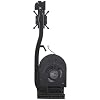
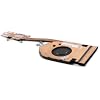
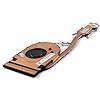
CPU Cooling Fan with Heatsink Replacement for ThinkPad T15 Gen 2 (Type 20W4 20W5), P15s Gen 2 (Type 20W6 20W7) UMA Version Integrated Graphics
Nº de artículo:
110969430
GTQ 305
Price Details
Excluding Shipping & Custom charges ( Shipping and custom charges will be calculated on checkout )
*All items will import from Estados Unidos
0 ratings
Escribe una opinión
Sin existencias
 Importado de la tienda USA
Secured transaction
Ubuy works hard to protect your security and privacy. Our advanced payment security system ensures confidentiality by encrypting your information during transmission using AES (Advanced Encryption Standards) and SSL (Secure Socket Layer) protocols. Your payment details are 100% secure as we do not share your payment details with third party sellers.
Our Top Logistics Partners


Replacement new laptop Cooling Fan with heatsink will allow you to use the laptop to run stably and comfortably, fast cooling, low noise.

Fast
Shipping

Free
Return*

Secure Packaging

100% Original Products

PCI DSS Compliance

ISO 27001 Certified


What Stands Out
Tailored Compatibility
Designed specifically for ThinkPad T15 Gen 2 and P15s Gen 2 laptops, ensuring an exact fit and optimal cooling performance, preventing overheating issues that may affect system stability.
High-Performance Cooling
Equipped with a powerful fan and efficient heatsink, this replacement enhances thermal management, allowing your laptop to run at peak performance while extending its lifespan by preventing heat damage.
Easy Installation
User-friendly design simplifies the replacement process, enabling quick installation with minimal tools and technical know-how, making it accessible for users to upgrade their laptop's cooling solution effortlessly.
Detalles de producto
- 1.Compatible model: for Lenovo ThinkPad T15 Gen 2 (Type 20W4 20W5), P15s Gen 2 (Type 20W6 20W7) UMA Version Integrated Graphics Series Laptop
- 2.P/N: 5H41B77170 5H41B77169, Model: ND75C69-20F03
- 3.Package include: CPU Cooling Fan with heatsink, DC5V 0.5A, Brand new and high quality
- 4.Replacement new laptop Cooling Fan with heatsink will allow you to use the laptop to run stably and comfortably, fast cooling, low noise, create a noise-free & interference-free environment for you.
- 5.Please check the compatible models before purchasing, carefully check the displayed picture and fan code to make sure it is the same as your needs. If you have any questions, please feel free to contact us, Thank you very much!
| Power Connector Type | 4-Pin |
| Voltage | 5 Volts |
| Wattage | 2.5 watts |
| Cooling Method | Air |
| Compatible Devices | Laptop |
| Noise Level | 40 Decibels |
| Maximum Rotational Speed | 6000 RPM |
| Material Type | Metal, Plastic |
| Brand Name | YAEHUYING |
| Manufacturer | YAEHUYING |
| Number of Items | 1 |
| Model | T15 Gen2 |
| Part Number | T15 Gen2 |
| Included Components | 1*CPU Cooling Fan with heatsink |
| Unit Count | 1.0 Count |
| Brand | YAEHUYING |
| Material | Metal, Plastic |
| Item Weight | 0.5 lbs (230 grams) |
Who Should Buy?

-
Gamers
Essential for maintaining optimal temperatures during extended gaming sessions, preventing throttling and ensuring peak performance.
-
Heavy Users
Perfect for users running resource-intensive applications, ensuring their laptop remains cool and functions efficiently.
-
DIY Enthusiasts
Ideal for tech-savvy individuals who prefer upgrading their hardware and require high-quality cooling solutions for their systems.

-
Casual Users
Not necessary for users with light computing needs who do not push their laptop to high-temperature levels.
-
Non-ThinkPad Users
Users with laptops outside the specified ThinkPad models may find this product incompatible with their devices.
-
Budget Shoppers
May not suit those looking for low-cost cooling options as this replacement can be relatively priced compared to alternatives.
DESCRIPCIÓN DEL PRODUCTO
¿Tienes alguna consulta? Chatea con nosotros
Preguntas y respuestas de los clientes
-
Pregunta:
What is the compatibility of the CPU Cooling Fan with Heatsink for ThinkPad T15 and P15s Gen 2?
Respuesta: The CPU Cooling Fan with Heatsink is specifically designed for the ThinkPad T15 Gen 2 (Type 20W4, 20W5) and P15s Gen 2 (Type 20W6, 20W7) UMA versions with integrated graphics. This ensures optimal performance and compatibility, reducing the risk of overheating. When choosing components for your laptop, it is vital to match the part numbers and types to ensure seamless integration. This replacement is perfect for restoring your laptop's cooling efficiency, especially if you're using resource-intensive software. -
Pregunta:
How do I know if my laptop needs a cooling fan replacement?
Respuesta: Signs that your laptop may need a cooling fan replacement include frequent overheating, loud fan noises, or unexpected shutdowns. If you notice that your laptop is running hotter than usual or if the fan constantly runs at high speed, it may be time for a replacement. Over time, dust buildup or fan wear can impact performance. Replacing the cooling fan can help maintain a suitable operating temperature, ensuring efficient performance during demanding tasks. -
Pregunta:
What tools do I need to install the CPU Cooling Fan with Heatsink?
Respuesta: To install the CPU Cooling Fan with Heatsink, you will typically need a precision screwdriver set, thermal paste, and an anti-static wrist strap. The precision screwdriver will allow you to safely remove the laptop casing and access the internal components. Ensure you use thermal paste when applying the new heatsink, as this enhances heat transfer. Following a detailed guide or video tutorial can assist you throughout the installation process, ensuring a successful replacement. -
Pregunta:
How does a cooling fan with heatsink improve laptop performance?
Respuesta: A cooling fan with a heatsink lowers the operating temperature of your laptop by dissipating heat produced by the CPU and GPU. This prolongs the lifespan of components and prevents thermal throttling, which can slow down performance. When running demanding applications such as gaming or video editing, adequate cooling is crucial to maintain system responsiveness and prevent crashes caused by overheating. -
Pregunta:
Can I use a compatible third-party fan, or should I stick to original parts?
Respuesta: While compatible third-party fans may work, original parts like the CPU Cooling Fan with Heatsink ensure maximum reliability and compatibility. Using original components typically provides better thermal management and aligns with the manufacturer's design specifications. For critical components, such as cooling, it is often recommended to stick with OEM parts to avoid potential issues with overheating or hardware failures. -
Pregunta:
What are the signs of a failing CPU cooling fan?
Respuesta: Common signs of a failing CPU cooling fan include unusual noises (such as grinding or buzzing), decreased airflow, increased temperatures, or system shutdowns. If your laptop is operating significantly hotter than before or the fan is not engaging, it could indicate failure. Addressing cooling issues promptly can prevent severe damage to your internal components and help maintain system efficiency. -
Pregunta:
How can I maintain the CPU Cooling Fan to ensure longevity?
Respuesta: To maintain your CPU Cooling Fan's efficiency, regularly clean the fan and heatsink by removing dust buildup. Use compressed air to blow out dust and debris. Additionally, keep your laptop in a clean environment and avoid using it on soft surfaces that can block ventilation. Regular maintenance can significantly enhance the cooling performance and lifespan of the cooling system. -
Pregunta:
Is there a specific way to apply thermal paste during installation?
Respuesta: Yes, applying thermal paste involves cleaning the surfaces of the CPU and heatsink, then applying a small, pea-sized amount of paste to the center of the CPU. When the heatsink is mounted, it will spread the paste evenly. This ensures excellent thermal conductivity and effective heat dissipation. Avoid applying too much paste, as it can lead to inefficiency and mess during installation, compromising thermal performance. -
Pregunta:
Where can I buy CPU Cooling Fan with Heatsink Replacement for ThinkPad T15 and P15s Gen 2?
Respuesta: You can purchase the CPU Cooling Fan with Heatsink Replacement for ThinkPad T15 Gen 2 and P15s Gen 2 from Ubuy. They offer a reliable selection of laptop replacement parts, ensuring you receive a product that meets OEM specifications. It's important to select a reputable seller to guarantee authenticity and performance of the product, which Ubuy consistently delivers. -
Pregunta:
What should I consider before replacing my CPU Cooling Fan?
Respuesta: Before replacing your CPU Cooling Fan, assess your laptop's overall condition and age. Ensure you are using compatible parts and that you have the necessary tools for installation. Additionally, it's beneficial to read reviews and guides to familiarize yourself with the process. Consider if your laptop is still under service agreements, as professional replacement services might be an option. This approach ensures a smooth replacement process and optimal system performance afterward.
YAEHUYING CPU Cooling Fans Editorial Review
No se encontraron reseñas editoriales
Customer Reviews & Ratings
1 valoraciones de los clientes
-
5 estrella
0%
-
4 estrella
100%
-
3 estrella
0%
-
2 estrella
0%
-
1 estrella
0%
Revisar este producto
Comparte tus ideas con otros clientes
Product Price History
Información importante
- Limitaciones: Para los productos enviados al extranjero, ten en cuenta que cualquier garantía del fabricante puede no ser válida; las opciones de servicio del fabricante pueden no estar disponibles; los manuales del producto, las instrucciones y las advertencias de seguridad pueden no estar en los idiomas del país de destino; los productos (y los materiales que los acompañan) pueden no estar diseñados de acuerdo con las normas, especificaciones y requisitos de etiquetado del país de destino; y los productos pueden no ajustarse al voltaje del país de destino y a otras normas eléctricas (lo que requiere el uso de un adaptador o convertidor, si procede). El destinatario es responsable de asegurarse de que el producto puede ser importado legalmente al país de destino. Cuando hagas un pedido a Ubuy o a sus filiales, el destinatario es el importador registrado y debe cumplir todas las leyes y normativas del país de destino.
- No todos los productos que aparecen en Ubuy están a la venta, ya que Ubuy es un motor de búsqueda a nivel mundial. Los productos están sujetos a las normas de exportación/comercio.
GTQ 305
Currently unavailable.
We don't know when or if this item will be back in stock.
This item is not restrict in my country.(Please click on above link if this item is not restrict in your country, So our team will review and allow.)
Secured transaction
Ubuy works hard to protect your security and privacy. Our advanced payment security system ensures confidentiality by encrypting your information during transmission using AES (Advanced Encryption Standards) and SSL (Secure Socket Layer) protocols. Your payment details are 100% secure as we do not share your payment details with third party sellers.
Our Top Logistics Partners
Fastest cross-border delivery
características y beneficios
- Compatible with Lenovo ThinkPad T15 Gen 2 and P15s Gen 2 laptops.
- Includes CPU cooling fan and heatsink for enhanced cooling performance.
- Runs quietly at a noise level of only 40 dB.
- Delivers fast cooling with a maximum rotational speed of 6000 RPM.
- Helps maintain stable and comfortable laptop operation.
- Brand new and high-quality replacement part.