- Página de inicio /
- Libros /
- Engineering & Transportation /
- Engineering /
- Mechanical /
- Drafting & Mechanical Drawing /
- FreeCAD 0.20 Learn by doing: Sketcher, Part D...
0 ratings

Nº de artículo:
57736364
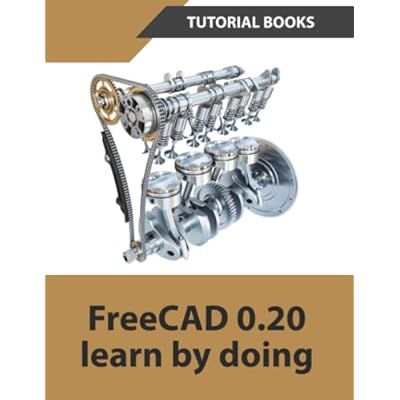
FreeCAD 0.20 Learn by doing: Sketcher, Part Design, Assemblies, Technical Drawings Paperback July 29, 2022
Nº de artículo:
57736364
GTQ 313
Price Details
Excluding Shipping & Custom charges ( Shipping and custom charges will be calculated on checkout )
*All items will import from Estados Unidos
0 ratings
Escribe una opinión
En stock
 Importado de la tienda USA
QTY:
Haz tu pedido ahora y recíbelo por ahí Viernes, Julio 03
Secured transaction
Ubuy works hard to protect your security and privacy. Our advanced payment security system ensures confidentiality by encrypting your information during transmission using AES (Advanced Encryption Standards) and SSL (Secure Socket Layer) protocols. Your payment details are 100% secure as we do not share your payment details with third party sellers.
Our Top Logistics Partners


This book is written to help new users learn the basic concepts of FreeCAD

Fast
Shipping

Free
Return*

Secure Packaging

100% Original Products

PCI DSS Compliance

ISO 27001 Certified


What Stands Out
Hands-On Learning
The book emphasizes practical exercises in FreeCAD, enabling users to effectively grasp concepts through real-world applications, making it ideal for beginners and those looking to enhance their skills.
Comprehensive Coverage
Covers essential modules including Sketcher, Part Design, Assemblies, and Technical Drawings, providing a holistic approach that guides readers from basic to advanced techniques seamlessly.
User-Friendly Format
Designed in an accessible paperback format, this guide ensures easy navigation and reference, making it suitable for various learning environments, from self-study to classroom use.
Detalles de producto
- Comprehensive guide to learning the basic concepts of FreeCAD 0.20
- Introduces users to the user interface, essential tools, and techniques
- Covers sketching, part design, assemblies, and technical drawings
- Includes chapters on sketch techniques, extrude and revolve features, patterned geometry, sweep features, loft features, modifying parts, assemblies, and drawings
- Written for beginners to help them become familiar with FreeCAD
- Helps users gain a clear understanding of the FreeCAD interface and its widely used tools
| Item Weight | 1 lbs (450 grams) |
Who Should Buy?

-
New Users
Ideal for beginners learning CAD software, offering clear instructions and practical exercises to enhance skill development.
-
Educators
Useful for teachers or trainers looking for a structured teaching resource that incorporates hands-on activities for students.
-
Hobbyist Designers
Great for hobbyists who want to design models or projects at home, without prior experience in CAD software.

-
Advanced Users
Experienced users seeking advanced techniques or complex functionalities may find the content too basic for their needs.
-
Professionals
Not suited for industry professionals who require expert-level knowledge and specific project management insights in CAD design.
-
Non-Visual Learners
Those who struggle with visual learning may find the book's format less effective for grasping CAD concepts and workflows.
DESCRIPCIÓN DEL PRODUCTO
FreeCAD 0.20 Learn by doing: Sketcher, Part Design, Assemblies, Technical Drawings Paperback July 29, 2022
About This Item
Introducing "FreeCAD 0.20 Learn by doing: Sketcher, Part Design, Assemblies, Technical Drawings" Unlock the full potential of FreeCAD 0.20 with our comprehensive learning guide. Whether you're a beginner or an experienced user, this book will take you through a step-by-step journey of mastering the Sketcher, Part Design, Assemblies, and Technical Drawings modules. Designed for hands-on learners, this paperback book is packed with practical examples and exercises that allow you to learn FreeCAD 0.20 by doing. You'll gain a deep understanding of the software's capabilities, enabling you to confidently design and create 3D models, assemblies, and technical drawings. Learn the ins and outs of the Sketcher module, where you'll discover powerful tools for creating 2D sketches that serve as the foundation for your designs.
Master the Part Design module, which equips you with the skills to bring your sketches to life and create complex 3D models. Explore the Assemblies module to learn how to assemble multiple components into a cohesive design. Finally, dive into the Technical Drawings module to generate precise and professional 2D drawings from your 3D models. With our easy-to-follow tutorials and comprehensive explanations, you'll quickly become proficient in FreeCAD 0.20.
Whether you're a hobbyist, student, or professional, this guide will empower you to unleash your creativity and turn your ideas into reality. Don't miss out on the opportunity to expand your FreeCAD skills. Get your hands on "FreeCAD 0.20 Learn by doing: Sketcher, Part Design, Assemblies, Technical Drawings" and start creating remarkable designs today!.
¿Tienes alguna consulta? Chatea con nosotros
Preguntas y respuestas de los clientes
-
Pregunta:
What is FreeCAD 0.20 Learn by Doing about?
Respuesta: FreeCAD 0.20 Learn by Doing is a comprehensive guide aimed at beginners and experienced users alike. It covers essential topics including Sketcher, Part Design, Assemblies, and Technical Drawings, providing step-by-step instructions and practical examples. This structured approach ensures that readers not only learn the theoretical aspects of FreeCAD but also gain hands-on experience by completing projects, making it suitable for those wanting to build real-world applications and improve their CAD skills. -
Pregunta:
Who is the target audience for this book?
Respuesta: The book targets a wide range of users, from absolute beginners exploring computer-aided design for the first time to intermediate users looking to deepen their understanding of FreeCAD. It's designed for hobbyists, students, and professionals in engineering and architecture who wish to leverage FreeCAD for creating technical drawings, 3D models, and assemblies. The practical approach makes it a suitable resource for anyone eager to enhance their design capabilities through hands-on activity. -
Pregunta:
What materials are included in the book to aid learning?
Respuesta: The book includes high-quality illustrations, screenshots, and practice exercises that guide the reader through each topic. These materials enhance comprehension, allowing users to visualize concepts and apply them immediately through practical applications. Additionally, the approach of 'learning by doing' ensures that each chapter builds on the previous one, thus reinforcing understanding and retention of the information presented. -
Pregunta:
Is FreeCAD 0.20 Learn by Doing suitable for self-study?
Respuesta: Absolutely! This book is specifically designed for self-learners. Its structured format with clear explanations and stepwise projects enables readers to progress at their own pace without needing instructor guidance. The exercises encourage practice, which is crucial for mastering FreeCAD’s features. For anyone interested in self-directed learning in CAD software, this guide serves as an invaluable resource. -
Pregunta:
Can I use FreeCAD with other CAD software?
Respuesta: Yes, FreeCAD can be effectively used alongside other CAD software. The concepts and skills learned from this book can often translate to different programs, enhancing your overall CAD proficiency. Since FreeCAD supports various file formats, you can import and export models to and from other applications, making it easy to collaborate and integrate your work in multi-software environments. -
Pregunta:
What are the system requirements for FreeCAD 0.20?
Respuesta: To run FreeCAD 0.20 effectively, you need a compatible operating system such as Windows, macOS, or Linux, along with a decent processor and RAM. A graphics card with OpenGL support is also advisable for optimal performance. While specific requirements may vary, most modern computers should handle FreeCAD smoothly, allowing you to focus on learning and creating without technical disruptions. -
Pregunta:
What kinds of projects can I create with FreeCAD?
Respuesta: With FreeCAD, you can create a wide array of projects, from simple 2D sketches and complex 3D models to detailed assemblies and technical drawings. This book illustrates projects ranging from mechanical parts to architectural designs, giving you the flexibility to apply your skills in various fields. Whether you're designing machinery, models for 3D printing, or architectural layouts, this guide equips you with the knowledge to visualize and execute your ideas. -
Pregunta:
How does this book facilitate learning technical drawings?
Respuesta: This book integrates technical drawing principles directly within the context of FreeCAD. Through practical exercises, you’ll learn how to produce professional technical drawings from your 3D models. This skill is invaluable for communicating designs clearly and accurately in professional settings, making it essential for engineers and architects who must adhere to industry standards. The exercises also enhance your understanding of dimensions, scales, and annotations. -
Pregunta:
Can I find the book in multiple languages or formats?
Respuesta: Currently, the primary format of 'FreeCAD 0.20 Learn by Doing' is paperback English. However, interest in translations may grow, so checking online platforms is advisable. If you're looking for digital formats, you might find e-books or other resources that complement your learning experience. Regardless of the format, the book's hands-on approach remains a valuable asset for learners worldwide. -
Pregunta:
Where can I buy FreeCAD 0.20 Learn by Doing in Guatemala?
Respuesta: You can purchase FreeCAD 0.20 Learn by Doing at Ubuy. They offer a variety of books and resources, ensuring you can find this guide easily. Ubuy provides options for users to navigate through their selection efficiently, along with helpful customer support to assist you through your purchase process, making it a reliable choice for acquiring this book.
Drafting & Mechanical Drawing Editorial Review
No se encontraron reseñas editoriales
Customer Reviews & Ratings
1 valoraciones de los clientes
-
5 estrella
100%
-
4 estrella
0%
-
3 estrella
0%
-
2 estrella
0%
-
1 estrella
0%
Revisar este producto
Comparte tus ideas con otros clientes
Product Price History
Información importante
- Limitaciones: Para los productos enviados al extranjero, ten en cuenta que cualquier garantía del fabricante puede no ser válida; las opciones de servicio del fabricante pueden no estar disponibles; los manuales del producto, las instrucciones y las advertencias de seguridad pueden no estar en los idiomas del país de destino; los productos (y los materiales que los acompañan) pueden no estar diseñados de acuerdo con las normas, especificaciones y requisitos de etiquetado del país de destino; y los productos pueden no ajustarse al voltaje del país de destino y a otras normas eléctricas (lo que requiere el uso de un adaptador o convertidor, si procede). El destinatario es responsable de asegurarse de que el producto puede ser importado legalmente al país de destino. Cuando hagas un pedido a Ubuy o a sus filiales, el destinatario es el importador registrado y debe cumplir todas las leyes y normativas del país de destino.
- No todos los productos que aparecen en Ubuy están a la venta, ya que Ubuy es un motor de búsqueda a nivel mundial. Los productos están sujetos a las normas de exportación/comercio.
GTQ 313
Haz tu pedido ahora y recíbelo por ahí Viernes, Julio 03
This item is not restrict in my country.(Please click on above link if this item is not restrict in your country, So our team will review and allow.)
QTY:
Secured transaction
Ubuy works hard to protect your security and privacy. Our advanced payment security system ensures confidentiality by encrypting your information during transmission using AES (Advanced Encryption Standards) and SSL (Secure Socket Layer) protocols. Your payment details are 100% secure as we do not share your payment details with third party sellers.
Our Top Logistics Partners
Fastest cross-border delivery
características y beneficios
- FreeCAD is easy-to-use CAD software
- Provides basic understanding of FreeCAD interface
- Covers widely used tools for component design, assembly, and detailing
- Includes detailed table of contents
- Teaches Sketch techniques, Extrude and Revolve features, Sweeps, Lofts, and more
- Includes Modifying Parts, Assemblies, and Drawings