0 ratings






Item #:
139711196
HDMI KVM Switch 1 Monitors 2 Computers 8K60Hz USB3.0 KVM Switch for 2 Computers Share Dual Monitors and 4 USB Devices withRemote Control
Item #:
139711196
GTQ 335
Price Details
Excluding Shipping & Custom charges ( Shipping and custom charges will be calculated on checkout )
*All items will import from US
0 ratings
Write a review
In stock
 Imported from USA store
QTY:
Only 10 items left in stock.
Order now and get it around Thursday, June 25
Secured transaction
Ubuy works hard to protect your security and privacy. Our advanced payment security system ensures confidentiality by encrypting your information during transmission using AES (Advanced Encryption Standards) and SSL (Secure Socket Layer) protocols. Your payment details are 100% secure as we do not share your payment details with third party sellers.
Our Top Logistics Partners


Easily switch between two hosts, which keeps your workspace tidy, and helps to maximize productivity.

Fast
Shipping

Free
Return*

Secure Packaging

100% Original Products

PCI DSS Compliance

ISO 27001 Certified


What Stands Out
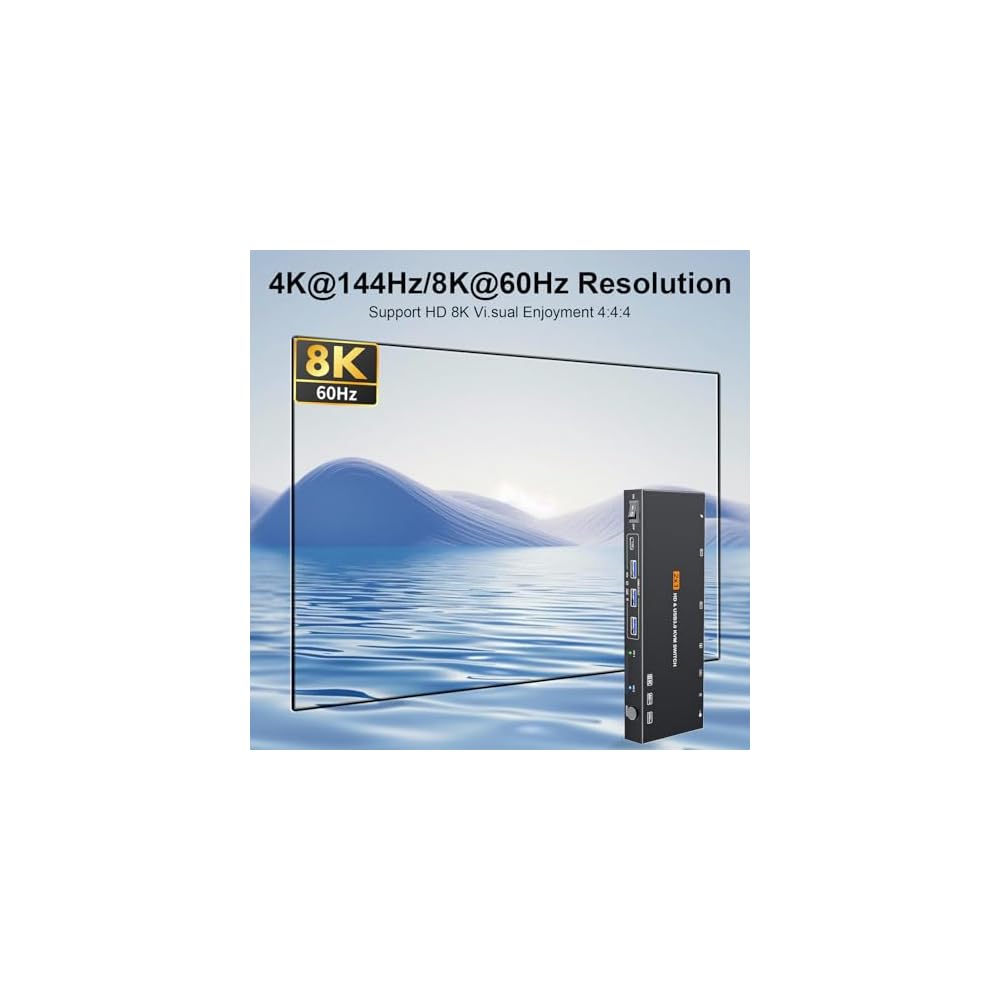
8K Resolution Support
Experience stunning visuals with 8K60Hz resolution, ensuring sharp images and vibrant colors for ultimate clarity while switching between devices.
EDID Simulation
Maintain display settings across multiple machines with EDID simulation, ensuring consistent resolution and refresh rates, enhancing user convenience.
USB 3.0 Hub
Enjoy high-speed data transfer for up to four USB devices, streamlining your workspace by simplifying access and connectivity between your computers.
Product Details
- NOTE: 1, Each PC must be connected with an HDMI cable (for video transfer) and a USB 3.0 cable (for data transfer Keyboard/Mouse etc.) for normal use. 2, For stable use, please use 12V1A the power adapter to connect to the power source for power supply. 3, supported for use with docking station【USB C to HDMI + USB docking station】. 4, This KVM switch is NOT a DP KVM switch or USB-C KVM switch.
- KVM Switch 1 Monitors 2 Computers: This HDMI KVM Switch can control 2 computers to share 1 monitor and 4 USB 3.0 and 2 USB2.0 devices. such as a set keyboard, mouse, hard drives, U disk, and printer. It's not only a keyboard mouse switch Switch, but also an HDMI switch. You can easily switch between two hosts, which keeps your workspace tidy, and helps to maximize productivity
- 【Ultra HD 8K Resolution】The HDMI KVM switch supports resolutions up to 8K@60Hz,4K@144Hz, allowing images to be displayed more beautifully and realistically, and colours will be more vivid and dynamic, and backward compatible with 3840*2160@144Hz, 1920*1080P@240Hz, 1920*1080P@240Hz, etc. Note: KVM requires a high-quality HDMI 2.0 standard cable no longer than 3.3 feet in length, and ensure that your computer and monitor support 8K to ensure the transmission of video signals!
- 【4 USB 3.0 ports】KVM switches features 4 USB 3.0 and 2 USB2.0 ports for ultra-fast data transfer speeds of up to 5Gbps. It allows you to seamlessly share peripherals like printers and external drives between two computers, reducing clutter and enhancing efficiency. Ideal for sharing USB devices such as keyboards, mice, scanners, printers, and flash drives, this switch automatically detects and matches connected devices【NOTE:Keyboard and mouse connected to the black USB2.0 port】
- 【Broad Compatibility & 2 Switching Methods】USB 3.0 HDMI KVM Switch is compatible with a wide range of operating systems including Windows (11/10/8/Vista/XP etc.), Mac OS, and Linux. It also works effortlessly with major HDMI devices such as PS5/4,mini 4 Pro, Xbox One, and PC, allowing easy switching between computers with a physical button or wired remote, LED indicate the active computer
| Operation Mode | OFF-NONE-ON |
| Current Rating | 1 Amps |
| Operating Voltage | 12 Volts |
| Contact Type | Normally Closed |
| Connector Type | Plug In |
| Switch Type | DIP Switch |
| Terminal | Solder |
| Circuit Type | 1-way |
| Mounting Type | PCB Mount |
| Lower Temperature Rating | 50 Degrees Celsius |
| Upper Temperature Rating | 50 Degrees Celsius |
| Control Method | Remote |
| Connectivity Protocol | Wired |
| Control Type | Remote |
| Compatible Devices | Computers, Gaming Consoles (PS5/PS4/Xbox One), USB Devices (Keyboards, Mice, Printers, External Drives, Flash Drives) |
| Color | Black |
| Item Dimensions | 7.87 x 1.57 x 0.79 inches (20 x 4 x 2 cm) |
| Material Type | Metal |
| Contact Material | Metal |
| International Protection Rating | IP00 |
| Specification Met | CCC |
| Brand Name | TBDISYYDS |
| Model | TB-010KM |
| Manufacturer | TBDISYYDS |
| Part Number | TB-010KM |
| Included Components | KVM |
| Brand | TBDISYYDS |
| Material | Metal |
| Item dimensions L x W x H | 7.87 x 1.57 x 0.79 inches (20 x 4 x 2 cm) |
Who Should Buy?

-
Multitasking Professionals
Ideal for users who operate multiple computers simultaneously, such as software developers and graphic designers.
-
Home Office Users
Perfect for remote workers who need to switch between computers while sharing peripherals and monitors.
-
Gaming Enthusiasts
Great for gamers who want to switch between gaming consoles and PCs without hassle using dual monitors.

-
Casual Users
Not suitable for users who only occasionally use one computer and don’t need multiple monitor setups.
-
Non-Technical Users
Can be complicated for those unfamiliar with KVM switches or who seek a simple plug-and-play solution.
-
Low-Resolution Needs
Users who don't require 8K resolution or high refresh rates will find this product overly advanced for their needs.
Product Description
Have any Query? Chat with us
Customer Questions & Answers
-
Question:
What is an HDMI KVM switch and how does it work?
Answer: An HDMI KVM switch allows users to control multiple computers using a single set of peripherals—monitor, keyboard, and mouse. With this switch, you can seamlessly switch between two computers while sharing a single monitor that supports 8K resolution at 60Hz. The device works by connecting your computers and USB devices to the KVM switch, which then connects to your display and peripherals. This setup is particularly beneficial in environments where multiple machines need to be accessed, such as in offices or home workstations. -
Question:
What are the benefits of using a KVM switch with dual monitors?
Answer: Using a KVM switch with dual monitors enhances productivity by providing more screen real estate, which is especially helpful for multitasking. With this setup, you can view two different systems simultaneously for comparisons or isolated workflows without the hassle of toggling between screens. The HDMI KVM switch's support for 8K resolution ensures that you maintain high-quality visuals, making it ideal for tasks requiring detailed graphical output, such as video editing or design work. -
Question:
Can I use USB devices with this HDMI KVM switch?
Answer: Yes, the HDMI KVM switch supports up to four USB devices, allowing you to connect printers, external drives, or webcams. This flexibility is crucial for users who need to access various peripherals without the hassle of multiple connections. For example, a user can switch between two computers while seamlessly using a shared printing device, enhancing overall workflow efficiency. -
Question:
What is EDID simulation and why is it important?
Answer: EDID simulation refers to the ability of the KVM switch to store and replicate the Extended Display Identification Data of connected monitors. This feature is crucial for maintaining optimal audio and video quality when switching between computers. It prevents resolution conflicts and ensures proper display settings, allowing you to enjoy uninterrupted high-definition content. Thus, whether you’re gaming or streaming high-resolution videos, EDID simulation helps ensure a smooth viewing experience. -
Question:
Is the remote control included with the HDMI KVM switch?
Answer: Yes, this HDMI KVM switch comes with a convenient remote control, making it easy to switch between computers without needing to physically access the switch itself. This feature is particularly useful in setups where the KVM is tucked away or out of reach, allowing users to maintain a streamlined workspace. For instance, switching from one task to another during presentations is seamless with the remote. -
Question:
What types of monitors are compatible with this KVM switch?
Answer: The HDMI KVM switch is compatible with any monitor that supports HDMI input, especially those capable of 8K resolution at 60Hz. This versatility allows you to use high-end gaming monitors or professional displays seamlessly. Users in graphics-intensive fields such as videography or gaming can benefit significantly from this capability, achieving not only superior visual fidelity but also ensuring their equipment is fully utilized. -
Question:
How can I set up the HDMI KVM switch for my two computers?
Answer: Setting up the HDMI KVM switch is straightforward. Simply connect your two computers to the KVM switch via the HDMI ports. Next, connect your dual monitors to the output of the KVM switch, along with any USB peripherals you intend to use. Finally, plug in the power adapter. Once everything is connected, you can toggle between the computers using the remote control. This setup is ideal for anyone needing to work on multiple systems without cluttering their desk with extra peripherals. -
Question:
What resolutions can I expect from this HDMI KVM switch?
Answer: The HDMI KVM switch supports resolutions up to 8K at 60Hz, offering exceptional clarity and detail. This capability caters to high-end setups where visual quality is paramount, such as in gaming or design. When connected to compatible displays, users can enjoy sharp images and vibrant colors, making it suitable for tasks ranging from office work to high-resolution video rendering. -
Question:
Can I use this KVM switch for gaming setups?
Answer: Absolutely! The HDMI KVM switch is designed to support high refresh rates and resolutions, making it perfect for gaming setups. Gamers can switch between two gaming PCs or consoles without losing performance. The 8K resolution capability ensures that you experience the latest games at their best quality, and the dual monitor setup allows for a more immersive gaming experience. -
Question:
Where can I buy the HDMI KVM Switch in Guatemala?
Answer: You can purchase the HDMI KVM Switch for dual computers and monitors directly from Ubuy. Ubuy offers a comprehensive selection of tech products and provides a user-friendly shopping experience, ensuring you find the best devices to enhance your workspace. Plus, their extensive reach in Guatemala means you can easily get this essential device delivered to your home.
TBDISYYDS KVM Switches Editorial Review
The HDMI KVM Switch 1 Monitors 2 Computers 8K60Hz EDID Simulation is designed for users looking to seamlessly switch between two computers while sharing dual monitors and multiple USB devices. Customers report a generally positive experience with this product, praising its solid metal Construction and clearly marked input/output ports which enhance usability. Many users have found the device straightforward to set up, particularly those with prior experience using KVM switches. Despite the ease of setup, some have noted that the included instructions could use improvement, and the need to provide your own HDMI cables could be more explicitly mentioned in the product description. This seems to be a minor inconvenience for most, primarily because many users already possess the necessary cables, which helps lower the overall cost of the switch. In terms of functionality, the switch impresses, allowing users to extend their desktop across multiple monitors and easily alternate between two laptops. However, some have experienced occasional connection drops when their laptops sleep, which rectifies quickly upon waking the laptops. Some feedback pointed to the need for specific USB-A cables and suggested that the LED status indicators could draw attention during low-light conditions, making them less than ideal. Overall, this HDMI KVM switch is a solid choice for users who need a reliable way to manage two systems and ensure smooth transitioning between them. Its performance aligns with its product description, making it a favorable option among buyers. **
Customer Reviews & Ratings
20 customers ratings
-
5 Star
61%
-
4 Star
17%
-
3 Star
11%
-
2 Star
0%
-
1 Star
11%
Review this product
Share your thoughts with other customers
Pros
- Solid metal Construction and clear port labeling
- Easy to set up for those familiar with KVM switches
- Allows seamless switching between two laptops and sharing of dual monitors
- Good value for the features offered
Cons
- Setup instructions may be confusing for some users
Product Price History
Important information
- Limitations : For products shipped internationally, please note that any manufacturer warranty may not be valid; manufacturer service options may not be available; product manuals, instructions, and safety warnings may not be in destination country languages; the products (and accompanying materials) may not be designed in accordance with destination country standards, specifications, and labeling requirements; and the products may not conform to destination country voltage and other electrical standards (requiring use of an adapter or converter if appropriate). The recipient is responsible for assuring that the product can be lawfully imported to the destination country. When ordering from Ubuy or its affiliates, the recipient is the importer of record and must comply with all laws and regulations of the destination country.
- Not all the products listed on Ubuy are for sale, as Ubuy is a global search engine. Products are subject to export/trade regulations.
GTQ 335
Order now and get it around Thursday, June 25
This item is not restrict in my country.(Please click on above link if this item is not restrict in your country, So our team will review and allow.)
QTY:
Only 10 items left in stock.
Secured transaction
Ubuy works hard to protect your security and privacy. Our advanced payment security system ensures confidentiality by encrypting your information during transmission using AES (Advanced Encryption Standards) and SSL (Secure Socket Layer) protocols. Your payment details are 100% secure as we do not share your payment details with third party sellers.
Our Top Logistics Partners
Fastest cross-border delivery
Features & Benefits
- Control 2 computers with 1 monitor and share USB devices.
- Supports ultra HD 8K resolution for stunning visuals.
- Features 4 USB 3.0 ports for fast data transfer speeds.
- Compatible with Windows, Mac OS, and Linux operating systems.
- Easily switch between devices with a physical button or wired remote.
- Helps reduce clutter and enhances efficiency in your workspace.